

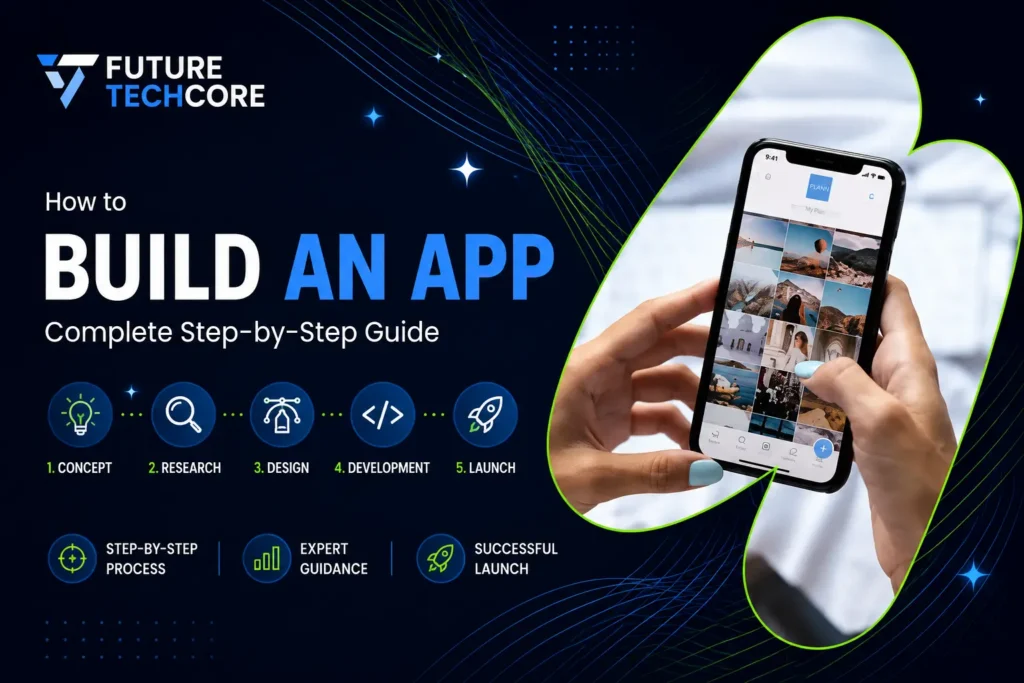
In today’s fast-paced digital world, mobile apps are essential for businesses, creators, and entrepreneurs. Whether you’re launching a startup or creating a tool to solve everyday problems, having a mobile app can open massive opportunities. The global app market is booming. Billions of users spend hours on mobile apps daily. In 2023 alone, app users collectively spent over 3.8 trillion hours on mobile apps worldwide. So, knowing how to build an app in 2026 can give you a competitive edge.
This guide will walk you through every step, including budgets, monetization strategies, and platform choices, so you can launch a successful app.
Explore Cutting-Edge App Solutions
Step 1: Create a Concept
Every app starts with an idea. But a clear concept is crucial:
Define your target audience. Who will use your app?
Identify the problem your app solves.
Outline the main features your app must have.
Think about how your app will stand out from competitors.
Determine monetization: ads, subscriptions, freemium, or premium features.
“A successful app begins with a clear concept that identifies the target audience,
problem-solving approach, and unique value proposition.”
Budget for Step 1: Conceptualization
- DIY market research: $0–$200
- Hiring a consultant for concept validation: $500–$2,000
Step 2: Competitor Analysis
Research apps similar to your idea:
Examine features, UI/UX, and monetization strategies.
Look at ratings and reviews for gaps or user complaints.
Analyze app updates and engagement metrics.
“Competitor analysis helps identify gaps and opportunities, ensuring your app meets market needs effectively.”
Budget for Step 2: Competitor Analysis
- DIY analysis tools: $0–$100
- Professional market analysis: $300–$1,000
Get Expert Market Analysis
Step 3: Determine Monetization
Choose how your app will generate revenue:
In-app advertising: Display ads to generate revenue.
Freemium: Basic features free, premium features paid.
Subscription: Monthly or annual subscription plans.
E-commerce integration: Sell products or services directly.
Premium: Upfront payment for the full app.
“Monetization strategies should be planned early to align with your app’s purpose and target audience.”
Budget for Step 3: Monetization Planning
- DIY planning: $0–$100
- Professional strategy consulting: $500–$1,500
Maximize App Revenue
Step 4: Decide Features (MVP vs Additional)
Plan your app’s features strategically:
Core features: Must-have for the first version (MVP).
Additional features: Secondary features for future updates.
Categorize features into essential and nice-to-have.
“Starting with a Minimum Viable Product (MVP) ensures fast launch and user feedback before expanding features.”
Budget for Step 4: Feature Planning
- DIY: $0–$200
- Expert UI/UX consultation: $500–$2,000
Have a music app idea? Let’s bring it to existence and rock!
Step 5: Choose the Platform
Decide between iOS, Android, or both based on:
Target audience location.
Device preferences.
Development cost and time.
“Choosing the right platform ensures maximum reach while optimizing development time and budget.”
Budget for Step 5: Platform Selection
- Market research tools: $0–$100
- Expert consultation: $200–$500
Step 6: Design the UI/UX
Create the visual and interactive flow of your app:
Create wireframes for each screen.
Follow Material Design for Android and Human Interface Guidelines for iOS.
Focus on intuitive navigation, responsive design, and accessibility.
“Effective UI/UX design ensures your app is visually appealing and easy to use, increasing user retention.”
Budget for Step 6: Design
- DIY tools like Figma: $0–$50/month
- Professional UI/UX designer: $2,000–$10,000
Turn Data into Action
Make informed adaptive decisions with and .
Step 7: Develop the App
Begin building your app’s functionality and infrastructure:
Frontend: User-facing interface.
Backend: Server, database, API integrations.
Use native (Swift, Kotlin), hybrid (Flutter, React Native), or web-based frameworks.
“App development involves front-end and back-end coding to bring your design and features to life.”
Budget for Step 7: Development
- Simple app: $16,000–$32,000
- Medium complexity: $32,000–$48,000
- Complex app: $72,000+
Adaptive Mobile Apps That Grow with You
Get dynamic, user-driven using iterative and agile methods.
Step 8: Test Every Feature
Ensure your app performs flawlessly across all conditions:
Perform QA testing for bugs, usability, and performance.
Use automated and manual testing tools.
Ensure cross-device compatibility.
“Rigorous testing ensures a smooth user experience and prevents costly post-launch fixes.”
Budget for Step 8: Testing
- Manual testing tools: $0–$200
- Professional QA services: $500–$5,000
Enter Global Markets With Your App
Step 9: Launch the App
Prepare and publish your app for users to download:
Submit to App Store (iOS) and Google Play Store (Android).
Prepare app description, screenshots, and keywords.
Follow store guidelines to avoid rejection.
“Launching your app properly ensures visibility and compliance with platform rules.”
Budget for Step 9: Launch
- App Store annual fee: $99
- Google Play fee: $25
- App marketing prep: $500–$3,000
Launch Your App Successfully
Step 10: Post-Launch Marketing & Feedback
Optimize your app’s growth and performance after launch:
Collect user feedback and reviews.
Track analytics and engagement.
Plan updates and new features based on feedback.
“Post-launch monitoring and feedback help you iterate and improve your app, increasing downloads and revenue.”
Budget for Step 10: Marketing & Feedback
- Social media & ads: $500–$5,000
- Analytics tools: $50–$200/month
- Continuous updates: $1,000–$10,000/year
Conclusion:
Building an app in 2026 requires strategic planning, clear concept, development expertise, and ongoing maintenance. By following these steps, from concept to post-launch, you’ll create an app that not only meets user needs but also drives business growth.
Frequently Asked Questions
Q1: How much does it cost to build an app in 2026?
The cost ranges from $16,000 for a simple app to $72,000+ for a complex app, depending on features and platforms.
Q2: How long does it take to build an app?
Average development time ranges from 3–9 months, depending on app complexity and platform.
Q3: Can I build an app without coding?
Yes, using platforms like Flutter or React Native, you can build apps with minimal coding knowledge, though professional help is recommended.
Q4: Should I launch on iOS or Android first?
It depends on your target audience and location. iOS is preferred in the US and Canada, while Android is popular in India and South America.
Q5: How can I monetize my app effectively?
Use in-app ads, subscriptions, freemium models, e-commerce integrations, or premium paid apps based on your app’s nature and audience.