- by Future Tech Core Editorial Team
- August 28, 2026
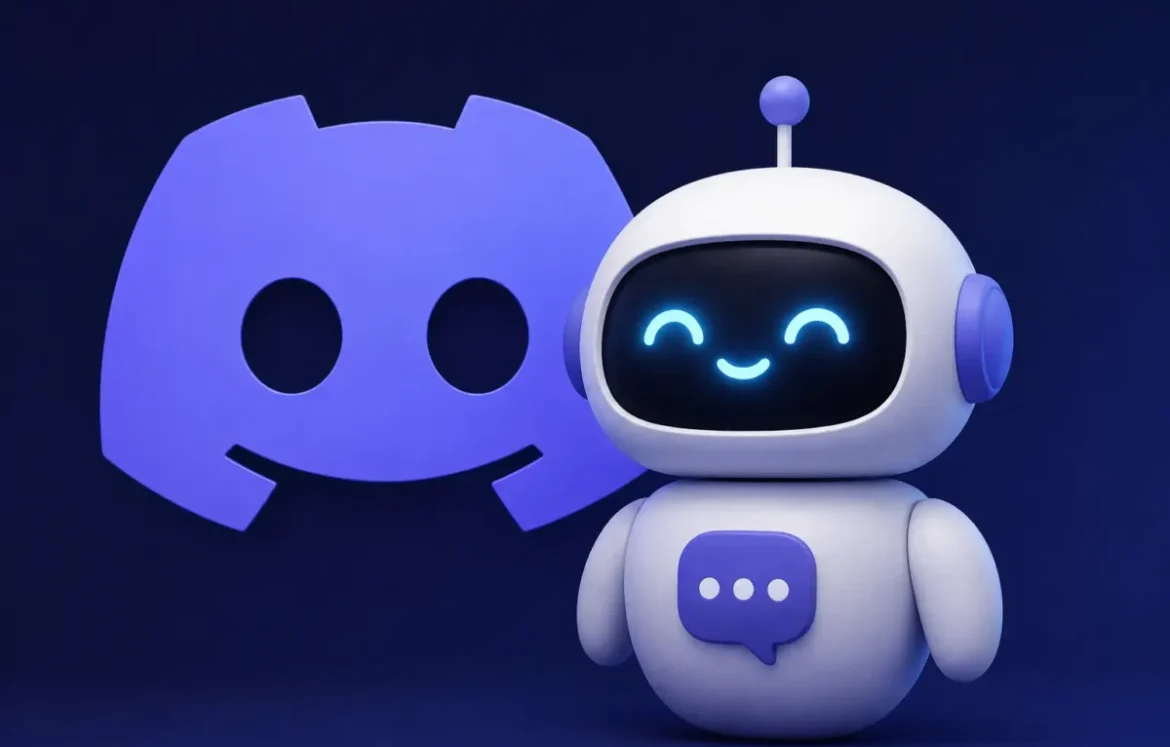
A Discord AI chatbot is an AI-powered bot or agent that understands natural-language messages and generates contextual responses inside a Discord server. Unlike traditional Discord bots that mainly rely on predefined commands, AI chatbots can answer questions, search connected knowledge, hold conversations, assist communities, and automate support tasks.
The best Discord AI chatbot depends on what you need. Mava is built around community support, Quickchat AI focuses on conversational AI and knowledge-grounded responses, VibeBot targets custom bots and AI personas, while platforms such as Botpress are better suited to users who want to build more customized AI agents.
There are also free options, but “free” doesn’t always mean unlimited. Current plans range from limited monthly AI messages or support requests to short free trials, so usage limits matter just as much as the price.
Key Takeaways
- Discord AI chatbots use AI to understand and respond to conversational messages inside Discord.
- The best option depends on whether you need customer support, gaming assistance, roleplay, general conversation, or custom AI development.
- Free plans can be useful but often restrict AI messages, support requests, models, or advanced features.
- Quickchat AI currently provides 50 AI credits per month on its free plan, while Mava’s free tier includes 30 support requests per month.
- Discord treats access to message content as a privileged intent for eligible apps, making bot permissions and data access important considerations.
- Discord’s former Clyde AI should not be confused with today’s third-party Discord AI chatbots.
Best Discord AI Chatbots at a Glance
| Discord AI Chatbot | Best For | Free Availability | Main Strength |
|---|---|---|---|
| Mava | Community support | Free plan | AI support + ticket workflows |
| Quickchat AI | Overall conversational AI | Free plan | Knowledge-grounded AI |
| Botpress | Custom AI agents | Free entry options | Advanced customization |
| Voiceflow | No-code AI development | Free entry options | Visual agent building |
| eesel AI | Knowledge support | Trial/plan dependent | Company knowledge |
| VibeBot | Roleplay & custom bots | 3-day trial | AI personas + bot building |
| Wonderchat | Simple support | 20 messages/month | Quick knowledge-based setup |
| MEE6 | General server management | Free tier | Broader Discord tooling |
| Self-hosted AI bot | Developers | Software varies | Maximum control |
| Custom LLM bot | Advanced communities | Depends on infrastructure | Model flexibility |
Quick answer: For support-focused communities, Mava is one of the more purpose-built choices. Quickchat AI is worth considering when conversational AI, knowledge grounding and external actions matter. VibeBot is more relevant for custom bot building and AI personas, while developers may prefer a custom or self-hosted implementation.
Pricing and limits can change quickly, so verify the current plan before installing a bot.
What Is a Discord AI Chatbot?
A Discord AI chatbot is software that connects artificial intelligence with Discord so users can communicate with an AI through natural-language messages.
Traditional Discord bots generally execute predefined commands such as /help, /rules, or /ticket. AI chatbots can interpret conversational requests instead.
For example, instead of entering:
/rules
a member could ask:
“Am I allowed to share my YouTube channel here?”
If the AI has access to the server’s rules or knowledge base, it can interpret the question and return an appropriate answer.
Discord AI chatbots can be used for:
- community support;
- gaming servers;
- roleplay and AI characters;
- server FAQs;
- member onboarding;
- knowledge-base Q&A;
- conversational assistants;
- automation.
From a technical perspective, custom bots may connect Discord with an external AI model through API integration, allowing the bot, backend, and AI service to exchange requests and responses.
The Best Discord AI Chatbots in 2026
1. Mava — Best for Discord Community Support
Mava is a customer-support platform that combines AI-powered answers with support workflows across channels including Discord.
Its biggest advantage is that the AI chatbot isn’t isolated from the rest of the support process. Businesses and communities can use AI for repetitive questions while maintaining human support workflows for issues requiring more attention.
Mava’s current free plan includes 30 support requests per month, one seat, all channels, and two AI training sources. Mava counts either a private ticket or a question answered by its AI bot in a public Discord channel as a support request.
That makes the free tier useful for testing, although active communities can reach the limit quickly.
Best for: Customer and community support
Free plan: Yes
Free allowance: 30 support requests/month
Knowledge training: Yes
Main strength: Combining AI and human support
Pros
- Designed around support workflows
- AI capabilities included across plans
- Can train AI using support information
- Supports public Discord questions
- Human-support functionality alongside AI
Cons
- Free usage is relatively limited
- More support-focused than entertainment-focused
Choose Mava if: your Discord server doubles as a customer or community-support channel.
Skip it if: your main goal is casual AI conversation or roleplay.
2. Quickchat AI — Best for Conversational AI
Quickchat AI lets Discord communities deploy customizable AI agents that can answer from supplied knowledge, maintain a defined personality, and connect with external actions.
Its Discord offering emphasizes grounded responses rather than relying entirely on an AI model’s general training data. The bot can use supplied instructions and knowledge sources and can also connect with APIs or tools for actions such as scheduling or information lookups.
Quickchat’s current free plan includes 50 AI credits per month, 50 knowledge-base articles, standard models, integrations, and AI actions. Its Starter plan begins at $9 per month and increases the monthly allowance to 150 AI credits.
Best for: Conversational AI
Free plan: Yes
Free allowance: 50 AI credits/month
Knowledge base: Yes
Main strength: Grounded conversational AI
Pros
- Knowledge-grounded answers
- Customizable personalities
- External actions and integrations
- Free monthly allowance
- Multiple knowledge-source types
Cons
- Free allowance is small for busy communities
- Advanced models require higher plans
- More configuration than a basic command bot
Choose Quickchat AI if: response quality, custom knowledge and conversational behavior matter more than traditional Discord commands.
3. Botpress — Best for Custom AI Agents
Botpress is an AI agent-building platform rather than a simple plug-and-play Discord chatbot.
Its main advantage is customization. Instead of accepting the functionality of an existing Discord bot, technical teams can create agents with their own instructions, knowledge, workflows and integrations.
This makes Botpress particularly relevant to developers and businesses that want AI to do more than answer casual questions.
For example, a custom agent might combine:
Discord → AI agent → company knowledge → external API → generated response
This type of architecture is an example of broader software integration, where multiple systems work together rather than operating independently.
Best for: Custom AI agents
Main strength: Flexibility
Setup difficulty: Medium to advanced
Pros
- Highly customizable
- Suitable for complex AI workflows
- Knowledge integration
- Developer-friendly architecture
Cons
- Requires more setup
- Unnecessary for simple server conversations
Choose Botpress if: you need an AI agent tailored to a specific workflow.
Skip it if: you simply want to invite a bot and start chatting.
4. Voiceflow — Best for No-Code AI Agent Building
Voiceflow is another option for users who want to create an AI assistant rather than install a completely predefined bot.
Its visual development approach makes it useful for designing conversational flows, knowledge retrieval and AI-agent behavior without building every component manually.
The key difference between Voiceflow and a standard Discord bot is therefore control.
A prebuilt chatbot decides most of its behavior for you. An agent-building platform lets you design much more of that behavior yourself.
Best for: Low-code/no-code AI development
Main strength: Visual agent design
Setup difficulty: Medium
Pros
- Visual development workflow
- Custom conversational logic
- Knowledge support
- Suitable for business applications
Cons
- Not primarily a one-click Discord chatbot
- Requires configuration before deployment
Choose Voiceflow if: you want to design the AI experience yourself without developing the entire system from scratch.
5. eesel AI — Best for Knowledge-Based Support
eesel AI focuses on AI support grounded in organizational knowledge.
This type of chatbot is useful when a Discord community repeatedly asks questions that already have answers in documentation, FAQs, internal knowledge or support material.
Instead of asking moderators to answer the same question repeatedly, an AI assistant can retrieve relevant information and formulate a response.
Best for: Knowledge-base Q&A
Main strength: Business knowledge
Setup difficulty: Easy to medium
Pros
- Knowledge-focused
- Useful for support communities
- Reduces repetitive questions
- Business-oriented integrations
Cons
- Less relevant for gaming entertainment
- Not designed primarily around roleplay
Choose eesel AI if: your main problem is answering repetitive product, documentation or customer questions.
6. VibeBot — Best for Custom Bots and AI Personas
VibeBot combines Discord bot building with AI-powered features including chat personas, moderation agents and content tools.
Its current plans include AI chat personas and roleplay functionality. VibeBot offers a three-day Pro trial, followed by paid Lite or Pro plans; its documentation currently lists Lite at $5 per month and Pro at $10 per month. AI chat consumes AI credits.
This makes VibeBot different from a pure customer-support chatbot. It sits closer to the intersection of an AI chatbot and AI Discord bot maker.
Best for: Custom bots, personas and roleplay
Free plan: No permanent AI free tier listed
Free access: 3-day trial
Main strength: AI bot creation + personalities
Pros
- AI chat personas
- Roleplay capabilities
- Custom-branded bots
- Bot-building features
- Cloud hosting
Cons
- Ongoing AI usage requires credits
- Trial converts to a paid plan unless canceled
Choose VibeBot if: you want to create a more customized Discord bot with AI personality features.
7. Wonderchat — Best for Simple AI Support
Wonderchat offers a Discord AI chatbot designed to answer FAQs and support questions using information supplied by the community.
Its Discord offering currently advertises setup in about five minutes and a free allowance of 20 messages per month. The bot can be trained using documentation, FAQs, wikis or guides.
Twenty messages is unlikely to support a busy public community, but it provides a low-risk way to evaluate the product before paying.
Best for: Basic FAQ automation
Free allowance: 20 messages/month
Knowledge support: Yes
Main strength: Straightforward setup
Pros
- Easy starting point
- Knowledge-based responses
- Free testing allowance
- Relevant to gaming and online communities
Cons
- Very small free allowance
- Not primarily a roleplay chatbot
Choose Wonderchat if: you want a simple knowledge-based Discord assistant and don’t mind upgrading as usage grows.
8. MEE6 — Best for Broader Discord Management
MEE6 belongs in a slightly different category from dedicated generative AI chatbot platforms.
Its strength is its broader Discord management ecosystem rather than being exclusively an LLM-based conversational assistant.
That’s an important distinction because users searching for the best Discord AI chatbot often encounter traditional Discord bots alongside newer generative AI systems.
Best for: General Discord management
Main strength: Server-management ecosystem
Setup difficulty: Easy
Pros
- Familiar Discord-oriented interface
- Community-management functionality
- Automation features
- Suitable for general server administration
Cons
- Not primarily an AI-first conversational platform
- Dedicated AI platforms may offer deeper conversational features
Choose MEE6 if: overall server management matters more than having the most sophisticated AI conversation system.
9. Self-Hosted Discord AI Chatbot — Best for Developers
A self-hosted Discord AI chatbot gives developers control over the bot’s AI model, prompts, memory, integrations and infrastructure.
A basic architecture might look like:
Discord message → bot backend → AI model → response → Discord
More advanced implementations can add:
- retrieval-augmented generation (RAG);
- vector databases;
- long-term memory;
- custom APIs;
- web search;
- moderation;
- local AI models;
- company databases.
Self-hosting does not automatically mean free. You may still pay for cloud hosting, databases, GPU resources or commercial AI APIs.
Developers can also connect the bot to external AI models, databases, knowledge sources, or other services depending on how much control and customization they need.
Best for: Developers
Main strength: Control
Setup difficulty: Advanced
Pros
- Choose your own AI model
- Maximum customization
- Infrastructure control
- Custom memory and data sources
- Flexible integrations
Cons
- Requires development skills
- Ongoing maintenance
- Infrastructure can cost money
- Security becomes your responsibility
10. Custom LLM Discord Bot — Best for Advanced Communities
A custom LLM bot is worth considering when an off-the-shelf product doesn’t match the community’s requirements.
For example, a gaming community could build an assistant that combines:
server rules + game documentation + event schedules + custom personality + external game data.
A business community could instead connect:
Discord + product documentation + CRM + ticketing + internal APIs.
The advantage isn’t simply having “more AI.” It’s being able to control exactly what information the AI uses and what actions it can perform.
Best for: Specialized requirements
Main strength: Purpose-built behavior
Setup difficulty: Advanced
A custom LLM bot is worth considering when an off-the-shelf product doesn’t match the community’s requirements. For example, a gaming community could combine server rules, event schedules, game documentation, and a custom AI personality in one assistant.
Which Discord AI Chatbot Should You Choose?
There is no universal winner because Discord communities use AI for fundamentally different purposes.
| Your Goal | Best Type to Consider |
|---|---|
| Customer support | Mava |
| Conversational AI | Quickchat AI |
| Custom agent | Botpress |
| No-code agent development | Voiceflow |
| Knowledge Q&A | eesel AI |
| Roleplay/personas | VibeBot |
| Simple FAQ support | Wonderchat |
| General server management | MEE6 |
| Maximum developer control | Self-hosted |
| Specialized workflow | Custom LLM bot |
A small gaming server should not choose an enterprise support platform simply because it has more features. Likewise, a SaaS company shouldn’t choose a roleplay-oriented bot to answer technical customer questions.
Choose based on the problem you need the bot to solve.
Is There a Free AI Bot for Discord?
Yes. Several Discord AI chatbot platforms offer free plans, trials or open-source options, but their limits vary considerably.
For example, as of August 2026:
- Quickchat AI lists 50 AI credits per month on its free plan.
- Mava lists 30 support requests per month on its free plan.
- Wonderchat advertises 20 messages per month for its free Discord offering.
- VibeBot currently offers a three-day trial rather than a permanent free AI tier.
These allowances aren’t directly comparable because each provider measures usage differently.
Therefore, don’t ask only:
“Is this Discord AI bot free?”
Also ask:
“What can I actually do before I hit the free limit?”
Best Discord AI Chatbot for Gaming
A good Discord AI chatbot for gaming should prioritize community engagement, affordable usage, conversational quality and access to relevant server or game information.
Potential uses include:
- explaining game mechanics;
- answering guild FAQs;
- onboarding new members;
- explaining server rules;
- sharing event information;
- retrieving game documentation;
- maintaining server lore;
- providing conversational entertainment.
Online communities for Gaming often need something different from business-support servers: fast responses, affordable high-volume usage, customization, and conversational features that keep members engaged.
Discord itself continues to emphasize server apps and gaming experiences as part of its platform.
Best Discord AI Chatbot for Roleplay
A Discord AI roleplay bot should be evaluated differently from a customer-support bot.
The most important features are typically:
- customizable characters;
- personality instructions;
- conversational memory;
- contextual responses;
- character consistency;
- private conversations;
- control over AI behavior.
VibeBot is particularly relevant to this category because its current offering explicitly includes AI chat personas and roleplay.
For roleplay, the chatbot with the longest business feature list isn’t necessarily the best. Memory and personality consistency matter more than CRM or ticketing integrations.
Best Discord AI Chatbot for Customer Support
A customer-support bot should prioritize accuracy over personality.
Look for:
knowledge grounding → documentation support → human escalation → ticketing → analytics → controlled responses
Mava is particularly relevant because its system combines public AI answers with private support requests and broader support workflows.
Quickchat AI takes another approach by grounding responses in supplied instructions and knowledge while supporting external actions and integrations.
For business servers, a generic chatbot that gives plausible answers can be worse than no chatbot at all if those answers are wrong. Knowledge grounding therefore deserves more weight than conversational personality.
Discord AI Chatbot vs Traditional Discord Bot
A Discord AI chatbot generates contextual responses using AI, while a traditional Discord bot generally follows predefined commands, rules or workflows.
| Type | Main Purpose |
|---|---|
| Discord AI chatbot | Natural-language AI conversation |
| Traditional Discord bot | Commands and predefined automation |
| AI support bot | Customer/community questions |
| AI moderation bot | Moderation assistance |
| AI bot maker | Helps create Discord bot functionality |
The categories can overlap.
A modern Discord bot might combine generative AI, traditional commands, moderation and workflow automation in the same application.
Discord AI Chatbot vs AI Bot Maker
A Discord AI chatbot uses AI to communicate with members, while an AI bot maker uses AI to help someone create or configure a Discord bot.
Consider the difference:
An AI chatbot receives:
“When is our next community event?”
and responds conversationally.
An AI bot maker might receive:
“Build a command that displays our next community event.”
and create or configure that functionality.
Some products increasingly combine both categories. VibeBot, for example, currently markets both AI chat personas and an AI Bot Builder.
Can You Use ChatGPT on Discord?
Developers can build Discord bots that connect to OpenAI models or other LLMs, but a third-party bot using an OpenAI model is not automatically an official ChatGPT Discord bot.
A typical implementation works like this:
User message → Discord application → backend → AI API → generated response → Discord
The same architecture can potentially use different model providers or locally hosted models.
Always verify who operates a third-party bot before granting it server access.
What Happened to Discord Clyde AI?
Clyde was Discord’s experimental AI chatbot, but the generative AI experiment is no longer available.
Discord’s December 2023 materials document Clyde in the context of that period, while community posts from the same month reflect users discussing its removal.
That matters because “Discord AI chatbot Clyde” still appears in related searches.
Users searching for Clyde today should distinguish the discontinued experiment from the current ecosystem of third-party Discord AI bots and custom applications.
Are Discord AI Chatbots Safe?
Discord AI chatbots can be useful, but their safety and privacy depend on the bot, its permissions, configuration and data-handling practices.
Discord treats message content as a privileged intent for eligible apps. Message-content fields can include message text, embeds, attachments and components. Discord’s documentation also notes exceptions where apps can access content, such as messages sent directly to the app or messages that mention it.
Before installing an AI chatbot, check:
- Which channels can it access?
- Can it read message content or history?
- Does it send messages to an external AI provider?
- How long does the provider retain data?
- Can access be restricted to specific channels?
- What happens to uploaded documents?
- Which permissions does the bot request?
For private or business communities, avoid granting broader permissions than the chatbot actually needs.
Are AI Chatbots Illegal?
AI chatbots are not inherently illegal, but their use can be subject to applicable laws and regulations.
Relevant areas can include:
- privacy and data protection;
- intellectual property;
- consumer protection;
- online safety;
- children’s privacy;
- sector-specific rules.
Legal requirements vary by jurisdiction and use case.
Discord server owners also need to follow Discord’s applicable platform rules.
For a specific legal situation, use qualified legal advice rather than relying on a general chatbot comparison.
How to Get an AI Bot on Discord
Adding a hosted AI chatbot usually involves five steps:
- Choose a Discord-compatible AI chatbot.
- Connect or invite the application to your server.
- Review every requested Discord permission.
- Configure its knowledge, personality, channels and behavior.
- Test it in a restricted channel before wider deployment.
Don’t skip the testing stage.
Ask questions the bot should know, questions it should not know, and deliberately ambiguous questions.
A support chatbot should be able to admit uncertainty rather than confidently inventing an answer.
Hosted vs Self-Hosted Discord AI Chatbots
| Factor | Hosted | Self-Hosted |
|---|---|---|
| Setup | Easier | Technical |
| Maintenance | Provider | You |
| Infrastructure | Included | You manage it |
| Customization | Varies | High |
| Model choice | Usually restricted | Flexible |
| Data control | Provider dependent | Potentially greater |
| Best for | Most users | Developers |
Self-hosting doesn’t automatically guarantee privacy.
If a self-hosted bot sends every message to an external LLM API, third-party processing may still occur.
Evaluate the entire data flow, not just where the bot application runs.
How to Choose the Best Discord AI Chatbot
Choose your chatbot based on six factors.
1. Use Case
Decide whether you need support, gaming, roleplay, general AI conversation, moderation or automation.
2. AI Quality
Test whether responses are accurate, contextual and useful.
3. Memory
Check whether the chatbot can retain relevant context across multiple messages.
4. Knowledge
For support, determine whether you can connect websites, documents, FAQs or other trusted sources.
5. Cost
Look beyond the words “free plan.”
Compare actual monthly usage limits and what happens when you exceed them.
6. Privacy and Permissions
Understand what information the bot can access and where that information is processed.
A chatbot with fewer features but better alignment with your server’s actual needs can be a better choice than the most feature-heavy product.
Frequently Asked Questions
Is there an AI chatbot in Discord?
Yes. Third-party AI chatbots can be added to Discord servers, and developers can also build custom AI bots using Discord’s developer platform. These bots can provide conversational AI, support, knowledge retrieval, roleplay and other functionality.
Is there a free AI bot for Discord?
Yes. Quickchat AI and Mava currently offer free plans, while Wonderchat advertises limited free Discord usage. Limits vary substantially, so compare actual messages or support requests rather than simply looking for a “free” label.
How do I get AI bots on Discord?
Choose a Discord-compatible AI bot, authorize it for your server, review its requested permissions, configure its channels and behavior, and test it before broader deployment. You need appropriate server permissions to authorize applications.
What is the best Discord AI chatbot?
There is no universal best option. Mava is strong for support-oriented communities, Quickchat AI focuses on conversational and knowledge-grounded AI, VibeBot combines AI personas with bot building, and custom/self-hosted solutions offer developers greater control.
Can Discord AI bots remember conversations?
Some can, but memory implementation varies. One chatbot may retain only recent conversational context while another may support longer or configurable memory. Check the provider’s current documentation before choosing based on memory alone.
Can I build my own Discord AI chatbot?
Yes. Developers can connect a Discord application to an external AI API or self-hosted model. More advanced implementations can add memory, RAG, knowledge bases, databases, moderation and external tools.
Can I use Character.AI on Discord?
Character.AI and Discord are separate services. Users should distinguish any official integration that may exist at the time of reading from unofficial third-party bots offering Character.AI-style conversations.
Is Clyde still available on Discord?
Discord’s previous generative AI Clyde experiment is no longer available. Users searching for Clyde today generally need to consider third-party Discord AI chatbots or custom bots instead.
Final Verdict: Which Discord AI Chatbot Is Best?
The best Discord AI chatbot in 2026 depends on the job you need it to perform.
For customer and community support, start by comparing Mava with knowledge-focused alternatives. For customizable conversational AI, Quickchat AI is worth evaluating. For roleplay and custom Discord bot creation, VibeBot takes a different approach. Developers who need full control should consider a custom or self-hosted bot.
Don’t choose based solely on the number of features.
Compare:
AI quality + use case + knowledge grounding + memory + real free limits + privacy + permissions + long-term cost.
And if Discord itself isn’t the right community platform for your needs, our comparison of apps like Wizz includes Discord alongside other community and social platforms.
A useful Discord AI chatbot should do more than put an LLM inside your server. It should solve a specific problem for your community without introducing unnecessary cost, complexity or data access.
Product features, pricing and free-plan limits in this guide were checked in August 2026 and can change after publication.