


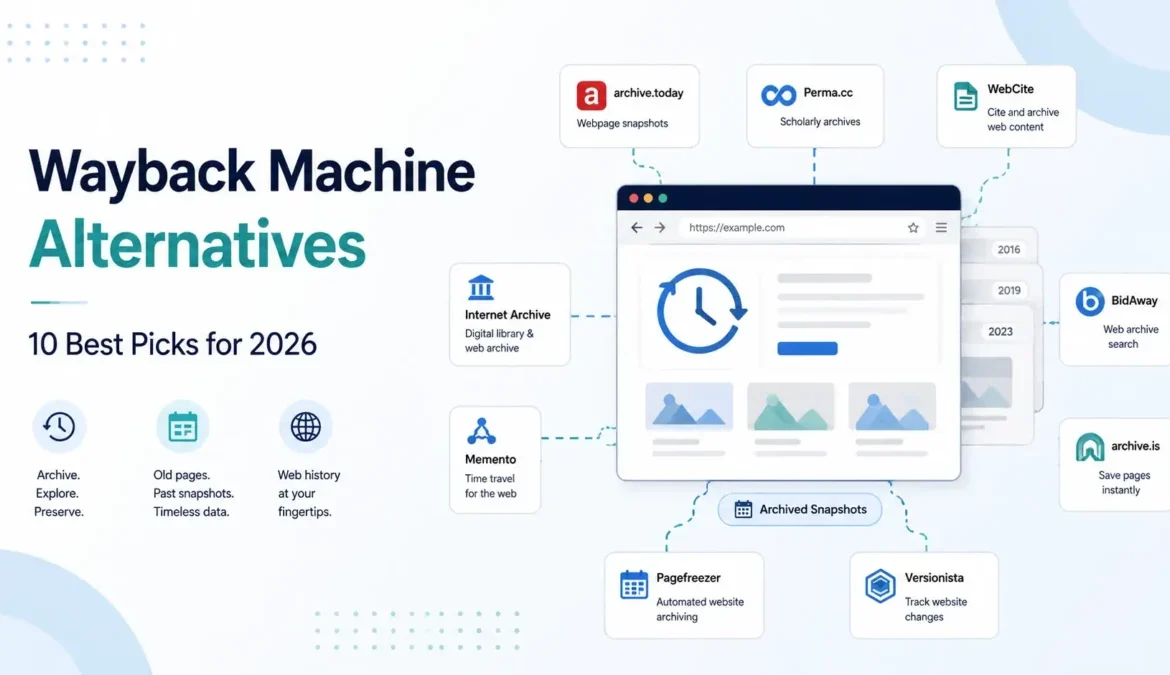
If the Wayback Machine cannot find the page you need, the best alternative depends on what you are trying to do. Archive.today is one of the best free options for saving a webpage immediately, Memento Time Travel is better for searching across multiple web archives, Visualping and Stillio are useful for tracking future changes, Perma.cc is built for permanent citations, and ArchiveBox is a strong self-hosted option. No single tool replaces every Wayback Machine feature, so the right choice depends on whether you want to recover an old page, save a current version, monitor changes, or manage your own archive.
Quick Comparison of the Best Wayback Machine Alternatives
| Tool | Best For | Free or Paid | Finds Old Pages | Saves Pages | Monitoring |
|---|---|---|---|---|---|
| Archive.today | Quick webpage snapshots | Free | Yes | Yes | No |
| Memento Time Travel | Searching multiple archives | Free | Yes | No | No |
| Perma.cc | Permanent citations | Free/Paid | Limited | Yes | No |
| Visualping | Website change monitoring | Free/Paid | No | Yes | Yes |
| Stillio | Scheduled screenshots | Paid | No | Yes | Scheduled |
| ArchiveBox | Self-hosted archiving | Free/Open Source | Your own archive | Yes | Custom |
| Common Crawl | Large-scale web research | Free | Yes | No | No |
| Pagefreezer | Compliance and legal records | Paid | Managed archive | Yes | Yes |
| ArchiveWeb.page | Interactive website captures | Free | Your captures | Yes | No |
| Arquivo.pt | Historical webpage search | Free | Yes | No | No |
What Is the Wayback Machine?
The Wayback Machine is a web archive operated by the Internet Archive. It stores historical snapshots of websites and allows users to enter a URL to see how a webpage looked at different points in time. It is widely used by researchers, journalists, SEO professionals, developers, and everyday users who need to find deleted content or compare older versions of a website.
However, the Wayback Machine does not capture every page or every update. Some websites may appear only a few times in the archive, while dynamic pages and JavaScript-heavy websites can be difficult to preserve completely. That is where dedicated Wayback Machine alternatives become useful.
Why Look for a Wayback Machine Alternative?
The Wayback Machine is still useful, but it is not designed for every type of web archiving task.
Missing or Incomplete Archived Pages
A URL may never have been crawled, or the exact version you need may be missing. Another archive may have captured the same page at a different time.
Irregular Snapshot Frequency
The Wayback Machine does not guarantee how often a page will be saved. A website can change multiple times between two archived captures.
Dynamic Websites Can Be Hard to Preserve
Modern websites increasingly rely on JavaScript, APIs, user interactions, and dynamically loaded content. Static archives may capture the visible page but still miss interactive elements, live data, or content loaded from external services.
This is one reason archived pages can behave differently from the original website. In the same way that API integration connects websites and applications with external systems in real time, those connections may not remain functional inside a static archived copy.
No Built-In Change Alerts
The Wayback Machine is mainly useful for looking at the past. It is not designed to alert you automatically every time a specific webpage changes.
Business, Legal, and Private Archiving Needs
Organizations may need features such as scheduled captures, private archives, compliance records, evidence preservation, or controlled storage. Those needs usually require more specialized tools.
1. Archive.today — Best Free Wayback Machine Alternative
Archive.today, also known through domains such as Archive.is or Archive.ph, is one of the closest free alternatives to the Wayback Machine for saving individual webpages. You paste a public URL into the service and request a snapshot. It then preserves a static version of the page that can remain available even if the original page changes or disappears.
Key Features
- On-demand webpage archiving
- No account required for basic use
- Static snapshots of public webpages
- Search for previously archived URLs
- Free access
Best For
Archive.today is best for users who want to preserve a specific public page immediately rather than waiting for an automated crawler.
Main Limitation
It is not a complete historical crawler like the Wayback Machine. Most captures happen because someone manually requested them.
2. Memento Time Travel — Best for Searching Multiple Web Archives
Memento Time Travel takes a different approach. Instead of acting only as a standalone archive, it helps users search historical versions of webpages across participating archives. This makes it particularly useful when the Wayback Machine does not have the snapshot you need.
Key Features
- Searches multiple web archives
- Useful for finding missing historical captures
- Free to use
- Designed around date-based web archive discovery
Best For
Memento is best for researchers and users trying to find an old version of a webpage that may have been preserved somewhere other than the Internet Archive.
Main Limitation
Memento cannot create a historical copy that was never archived. It can only help locate captures that already exist across participating services.
3. Perma.cc — Best for Academic and Legal Citations
Perma.cc is designed to reduce link rot in academic, legal, journalistic, and policy-related citations.
Instead of linking to a webpage that might later change or disappear, users can create an archived version and reference the permanent Perma.cc link. The service is operated by the Harvard Law School Library’s Library Innovation Lab and is widely associated with citation preservation.
Key Features
- Permanent archived citation links
- Useful for legal and academic references
- Supports long-term source preservation
- Free access is available in some use cases, with paid options for broader usage
Best For
Perma.cc works best when the goal is not casual historical browsing but preserving a source that needs to remain available for future readers.
Main Limitation
It is not designed to search the entire historical web.
4. Visualping — Best for Website Change Monitoring
Visualping is not a traditional historical web archive. Instead, it monitors webpages going forward and alerts users when something changes. That makes it useful for people who want to track updates rather than recover years-old pages.
Key Features
- Automated webpage monitoring
- Before-and-after visual comparisons
- Change alerts
- Scheduled checks
- Free and paid plans
Best For
Visualping is useful for:
- competitor page changes
- price updates
- policy changes
- landing page changes
- job listings
- product availability
The key difference is simple: the Wayback Machine shows what was captured in the past, while Visualping is designed to tell you when something changes in the future.
Main Limitation
It cannot reconstruct webpage versions from before you started monitoring.
5. Stillio — Best for Automated Website Screenshots
Stillio automatically captures screenshots of webpages according to a schedule.
You can configure it to take recurring screenshots hourly, daily, weekly, or monthly, creating a visual timeline of how a page changes over time.
Key Features
- Scheduled webpage screenshots
- Full-page capture
- Organized screenshot history
- Different capture intervals
- Team and export features
Best For
Stillio is useful for marketing teams, agencies, SEO professionals, and organizations that need a visual record of specific pages. This type of automated workflow reflects a broader shift toward connected software systems that collect and synchronize information automatically. This is actually achieved through software integration where modern tools work together to create those connected workflows.
Main Limitation
It is a paid service and focuses mainly on future screenshot records rather than finding old historical pages.
6. ArchiveBox — Best Self-Hosted Wayback Machine Alternative
ArchiveBox is an open-source, self-hosted web archiving platform.
Instead of depending entirely on a third-party archive, you can store and manage your own collection of webpages. This gives users significantly more control over where archives are stored and how they are managed.
Key Features
- Open-source
- Self-hosted
- Supports multiple archive formats
- Stores webpages under your control
- Useful for personal or organizational archives
Best For
ArchiveBox is especially useful for:
- developers
- researchers
- privacy-conscious users
- organizations maintaining internal archives
- users who want control over storage
Main Limitation
Self-hosting means you are responsible for installation, maintenance, storage, backups, and security.
7. Common Crawl — Best for Large-Scale Web Research
Common Crawl maintains large datasets of publicly crawled web content.
It is very different from consumer tools such as Archive.today. Instead of offering a simple calendar where you visually browse snapshots, it provides large-scale web data that developers and researchers can process programmatically.
Key Features
- Large public web datasets
- Historical crawl data
- WARC-based archives
- Useful for machine learning and web research
- Free access to datasets
Best For
Common Crawl is most useful for:
- developers
- academic researchers
- data scientists
- AI projects
- large-scale web analysis
Main Limitation
It is not beginner-friendly and does not provide the same simple visual experience as the Wayback Machine.
8. Pagefreezer — Best for Enterprise and Compliance Archiving
Pagefreezer is designed for organizations that need formal records of websites, social media, and other online communications.
Its focus is much more professional than casual web archiving.
Key Features
- Automated digital archiving
- Compliance-oriented records
- Website and social media preservation
- Searchable historical records
- Enterprise workflows
Best For
Pagefreezer is suitable for organizations in regulated industries or businesses that need reliable archived records for compliance, legal, or governance purposes.
Main Limitation
It is a paid enterprise platform and is unnecessary for most casual users simply trying to recover an old webpage.
9. ArchiveWeb.page — Best for Interactive Website Capture
ArchiveWeb.page is designed to capture webpages directly while you browse them.
This approach can be useful for more interactive web experiences that traditional crawlers may struggle to reproduce accurately.
Key Features
- Browser-based web archiving
- Interactive capture
- Useful for dynamic webpages
- User-controlled archive creation
- Free access
Best For
ArchiveWeb.page is especially useful for researchers and users who want to preserve a browsing session or dynamic webpage rather than just save a static screenshot.
Main Limitation
You usually have to actively capture the content yourself, so it does not replace a massive historical archive that already contains years of web history.
10. Arquivo.pt — Best Additional Historical Web Archive
Arquivo.pt is a public web archive that allows users to search historical versions of webpages.
It is particularly valuable for content connected with Portugal and the wider European web, but it can also surface pages or versions that may not be easy to find elsewhere.
Key Features
- Historical webpage search
- Public archive access
- Full-text search capabilities
- Free to use
- Useful for research
Best For
Arquivo.pt is useful for researchers looking for another source of historical webpages beyond the Internet Archive.
Main Limitation
Its coverage is different from the Wayback Machine and is not equally comprehensive across every website or region.
Free vs Paid Wayback Machine Alternatives
The best choice depends on whether you need occasional archiving or ongoing monitoring.
Best Free Wayback Machine Alternatives
For most users, these are the strongest free choices:
- Archive.today for saving a webpage immediately
- Memento Time Travel for searching multiple archives
- Arquivo.pt for historical webpage research
- Common Crawl for technical datasets
- ArchiveBox for open-source self-hosting
Free options work well when your main goal is finding or preserving occasional webpages.
When Is a Paid Alternative Worth It?
Paid services become more useful when you need:
- automatic monitoring
- scheduled screenshots
- alerts
- team access
- enterprise retention
- compliance workflows
- organized long-term records

Tools such as Visualping, Stillio, and Pagefreezer are less about replacing the Wayback Machine’s public archive and more about creating a dependable record from now onward.
Which Wayback Machine Alternative Should You Choose?
There is no single best option for every use case.
| If You Need To… | Best Starting Point |
|---|---|
| Find an old webpage the Wayback Machine missed | Memento Time Travel |
| Save a public webpage now | Archive.today |
| Preserve an academic or legal citation | Perma.cc |
| Monitor future page changes | Visualping |
| Take scheduled screenshots | Stillio |
| Host your own archive | ArchiveBox |
| Analyze large amounts of web data | Common Crawl |
| Maintain compliance records | Pagefreezer |
| Preserve interactive webpages | ArchiveWeb.page |
| Search another public web archive | Arquivo.pt |
This distinction matters because an archive, a monitoring service, and a self-hosted preservation tool solve different problems.
Is There a Better Alternative to the Wayback Machine?
There is no single alternative that is better than the Wayback Machine at everything.
Archive.today is more convenient when you want to save a public webpage immediately. Memento Time Travel is useful when you want to search beyond a single archive. Visualping is better for automatic change alerts, while ArchiveBox offers more control for users who want to store archives themselves. The Wayback Machine remains one of the strongest tools for broadly exploring the historical versions of websites.
The best approach is often to use several tools depending on the task rather than relying on one service alone.
When Should You Still Use the Wayback Machine?
You should still use the Wayback Machine when you want to:
- browse the history of a well-established website
- compare old website designs
- find earlier versions of public content
- research historical URLs
- access archived pages without creating your own archive
It remains especially useful because of the scale and age of the Internet Archive’s historical collection.
Alternatives become more valuable when a page is missing, you need a snapshot at a specific time, you want change alerts, or you require private or compliance-grade storage.
What to Do If a Deleted Page Is Missing From Every Archive
If the Wayback Machine cannot find a deleted page, do not stop after checking one alternative.
Try the following sequence:
- Search the original URL in Memento Time Travel.
- Check Archive.today for user-created captures.
- Try different versions of the URL, including HTTP/HTTPS and www/non-www versions.
- Search distinctive sentences from the missing page in quotation marks.
- Look for syndicated copies, screenshots, social media posts, press releases, or cached references.
- Use Common Crawl if you have the technical ability to search web crawl datasets.
No archive can recover a page that was never captured anywhere, but different services often crawl different URLs at different times.
How We Chose the Best Wayback Machine Alternatives
We compared these tools based on the features that matter most when replacing or supplementing the Wayback Machine:
- ability to find historical pages
- on-demand webpage capture
- archive accessibility
- automated monitoring
- screenshot scheduling
- free or paid availability
- ease of use
- self-hosting options
- suitability for research or compliance
- active availability in 2026
We also separated tools by purpose rather than treating every archive service as an identical replacement. That distinction is increasingly important as modern websites become more dynamic and interconnected. Current mobile app development trends show the same broader shift toward real-time data, AI-driven experiences, and highly interactive software that traditional static capture methods may struggle to preserve perfectly.
Final Verdict
The best Wayback Machine alternative in 2026 depends on what you need to preserve or recover.
For most users, Archive.today is the simplest free option for saving a public webpage, while Memento Time Travel is a better starting point when the Wayback Machine cannot find an older version. Visualping and Stillio are more useful for tracking future changes, Perma.cc works well for permanent citations, and ArchiveBox gives technically experienced users more control through self-hosting.
The Wayback Machine is still valuable, but using the right alternative can fill gaps in historical coverage, monitoring, interactive capture, or long-term record keeping.
Frequently Asked Questions
Is there an alternative to the Wayback Machine?
Yes. Good Wayback Machine alternatives include Archive.today for saving pages on demand, Memento Time Travel for searching across multiple archives, Perma.cc for permanent citations, ArchiveBox for self-hosted archiving, and Visualping for monitoring future webpage changes. No single tool replaces every Wayback Machine feature.
Where can I find webpage history similar to the Wayback Machine?
You can search historical webpage versions through services such as Memento Time Travel, Archive.today, Arquivo.pt, and other public web archives. Memento is particularly useful when the Wayback Machine has no capture because it can search across participating archive collections.
What are some reliable web archiving tools that compete with the Wayback Machine?
Reliable options include Archive.today, Memento Time Travel, Perma.cc, ArchiveBox, ArchiveWeb.page, Common Crawl, Pagefreezer, Visualping, and Stillio. They serve different purposes, so the best choice depends on whether you need historical lookup, page preservation, monitoring, self-hosting, or compliance records.
How can I view older versions of a website?
Start by entering the page URL into the Wayback Machine. If the version you need is missing, try Memento Time Travel, Archive.today, or Arquivo.pt. You can also test HTTP/HTTPS and www/non-www versions of the URL because archives may store them separately.
Are there any Wayback Machine alternatives?
Yes. There are both free and paid Wayback Machine alternatives. Archive.today, Memento Time Travel, Arquivo.pt, Common Crawl, and ArchiveBox are useful free options, while services such as Stillio, Visualping, and Pagefreezer provide additional monitoring or enterprise features.
Is there anything better than the Wayback Machine?
There is no tool that is better than the Wayback Machine for every purpose. Archive.today can be better for manually saving a page, Visualping is better for future change monitoring, ArchiveBox gives you more control through self-hosting, and Perma.cc is better suited to permanent citations. For broad historical website browsing, the Wayback Machine remains difficult to replace.
Is Archive.ph illegal?
Archive.ph itself is a web-archiving service, and simply accessing an archive service is not inherently illegal. However, legality can depend on what content is being archived, how it is accessed, copyright rules, privacy laws, and how the archived material is used in your jurisdiction. Avoid presenting Archive.ph as universally legal or illegal because that depends on the circumstances.
Is there another version of the Wayback Machine?
There are other web archives, but there is no identical second version of the Wayback Machine. Services such as Archive.today, Memento Time Travel, Arquivo.pt, GhostArchive, and ArchiveBox provide overlapping functions, but their coverage, capture methods, and use cases differ.
Is GhostArchive safe?
GhostArchive is an active web-archiving service that allows users to save and search webpage snapshots. Its own privacy policy states that its servers may log information such as IP addresses, requested pages, browser data, and access times. As with any third-party archive, avoid submitting sensitive or private URLs and review its privacy terms before relying on it for confidential material.
What is the best Wayback Machine alternative for Instagram?
Instagram is difficult for traditional web archives because much of its content is dynamic, login-dependent, and platform-controlled. There is no consistently reliable public archive that works like the Wayback Machine for every Instagram profile, post, or Reel. For content you own or have permission to preserve, local or self-hosted archiving methods may be more dependable than public archive services. Recent archiving discussions still report difficulty preserving Instagram Reels reliably.
What are the best Wayback Machine alternatives for Reddit?
For Reddit pages, Archive.today can be useful for manually preserved posts, while self-hosted tools such as ArchiveBox are an option for content you want to preserve yourself. Reddit archiving has become less predictable because platform and API changes have limited several older recovery tools, and community reports show inconsistent results across public archives.